Live answers
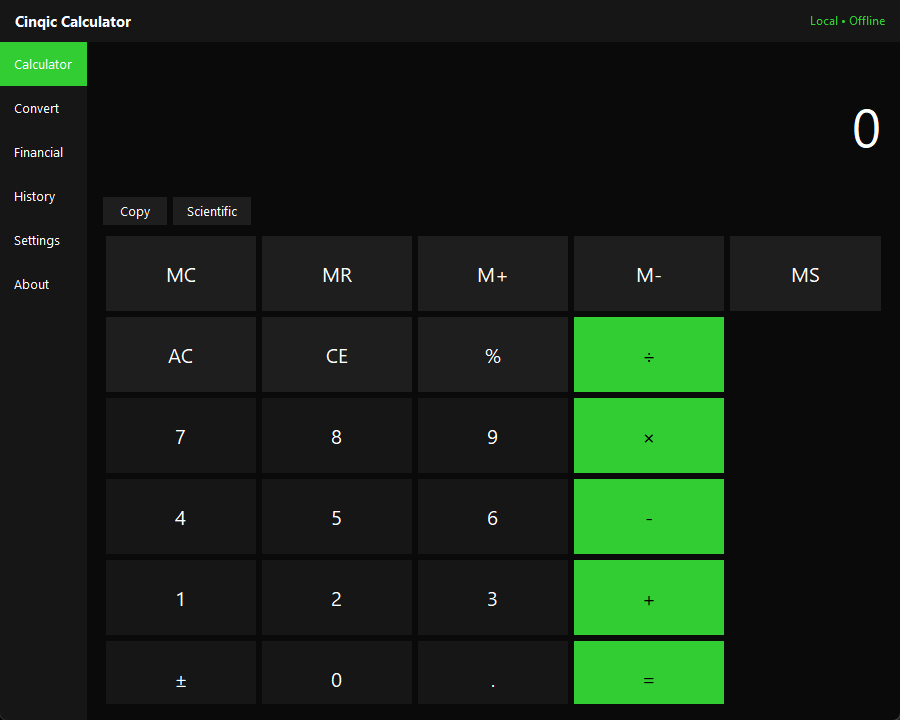
The whole expression stays on screen and its result appears as you type, before you press equals.
Cinqic Software / 01
A private, offline-first calculator for Windows, Linux, and Android. See the whole expression and its answer as you type, convert common units, review local calculation history, and use practical financial tools — without an account, cloud service, or internet connection.
Windows 10/11 · Linux x86_64 · Android 5.0+ | v1.1.0

01 — Overview
Cinqic Calculator is a small, standalone tool for Windows, Linux, and Android. It works entirely offline and does not use or need AI.
The whole expression stays on screen and its result appears as you type, before you press equals.
Arithmetic, percentages, parentheses, powers, roots, trigonometry, logarithms, factorials, and more.
Length, mass, temperature, area, volume, speed, time, and data storage — decimal and binary units kept distinct.
Discounts, sales tax, tips, bill splitting, and simple & compound interest estimates.
Recent calculations stay on your device, with an easy way to disable or clear them.
02 — Download
Version 1.1.0 for Windows 10/11 (64-bit), Linux (x86_64), and Android 5.0+.
Installer
Cinqic-Calculator-Windows-x64-Setup.exe
Installs to your user profile — no administrator privileges required. Creates a Start menu shortcut and an optional desktop shortcut.
This build is not code-signed. Windows SmartScreen may show an “unrecognized app” warning the first time you run it — this is expected for an unsigned open-source application. You can review the source code yourself before choosing to continue.
Standalone tarball
Cinqic-Calculator-Linux-x86_64.tar.gz
Self-contained — Python and Tk are bundled, so nothing needs to be installed. Extract it anywhere and run the launcher; a desktop entry is included if you want a menu shortcut.
tar -xzf Cinqic-Calculator-Linux-x86_64.tar.gz then ./CinqicCalculator/cinqic-calculator~/.local/share/Cinqic/Calculator/ — settings and optional history, never transmitted.The Linux build is tested in continuous integration on every change — the full test suite, the real interface under a virtual display, and a check that the published tarball runs from a clean extraction.
Direct APK download
Cinqic-Calculator-Android.apk
Not distributed through the Google Play Store — this is a direct, signed APK download. Fully offline, and the app requests no permissions at all: no internet, no storage access beyond its own private app folder.
com.cinqic.calculatorEE:E1:2E:4F:94:F7:9A:15:F2:CE:85:EC:75:27:29:E6:34:97:C5:25:10:28:62:26:83:50:60:74:EB:A6:FF:D0 (SHA-256) — every future update will be signed with this same certificate.There is no Google Play Store listing for Cinqic Calculator. Installing an APK from outside the Play Store requires allowing “Install unknown apps” for whichever app you use to open the file (your browser or file manager) — Android will prompt you for this the first time. You can review the source code yourself, and verify the checksum and signing certificate above, before choosing to continue.
03 — Installation
04 — Privacy
Cinqic Calculator does not require an account, does not include advertising or analytics, and never transmits your calculations, history, or settings anywhere — on Windows, Linux, or Android. Settings and optional local history stay on your device: in your Windows user profile, under ~/.local/share on Linux, or in the Android app’s private storage (which no other app can read, and which is removed automatically if you uninstall). The Android app requests no permissions, including no internet permission. See the app’s privacy documentation for details.
Ecosystem
Cinqic Calculator works entirely without artificial intelligence, on every platform. Juniper is a separate Cinqic local-first AI app; there is currently no Juniper integration with Cinqic Calculator being advertised. AI should remain a choice.
Cinqic Calculator
Free, open source, and fully offline.